
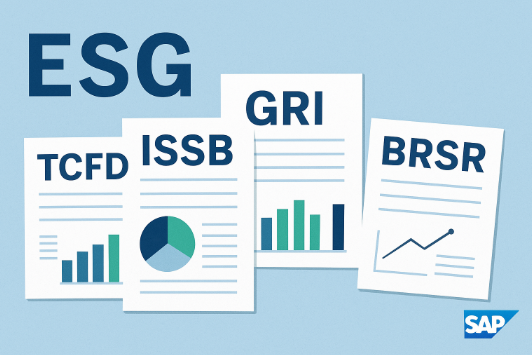
This includes setup, configuration, framework activation, mapping, data integration, consolidation, and report extraction for BRSR, GRI, ISSB, GHG Protocol, and TCFD.
Table of Contents
WHY ESG REPORTING IS NO LONGER OPTIONAL
Across industries—from manufacturing and energy to retail and BFSI—ESG reporting has shifted from a boardroom afterthought to a business-critical requirement.
Regulators require BRSR, global investors request GRI and ISSB, and customers demand transparent emissions and supply-chain sustainability.
But as companies begin their ESG journeys, they quickly realize:
Spreadsheets break. Data is scattered. Assurance is impossible. Reporting becomes chaos.
This is why global and Indian enterprises with SAP landscapes increasingly adopt SAP Sustainability Control Tower (SCT) as their ESG reporting backbone.
This blog provides a comprehensive roadmap, detailed configuration steps, and real extraction workflows for ESG frameworks using SAP SCT.
🏗️ SECTION 1 — WHAT IS SAP SUSTAINABILITY CONTROL TOWER (SCT)?
SAP SCT is a cloud-based ESG reporting platform that:
✔ Integrates SAP & non-SAP systems
Energy, waste, HR, finance, procurement, emissions, EHS, logistics
✔ Centralizes all sustainability metrics
Environmental, Social, Governance indicators from multiple frameworks
✔ Provides pre-built frameworks
- BRSR (India)
- GRI
- ISSB S1 & S2
- GHG Protocol
- TCFD
- SASB
- EU CSRD ESG metrics
✔ Delivers audit-ready reporting
Built-in approvals, versioning, lineage, data quality checks
✔ Supports automated extraction
PDF, Excel, Word, dashboard & API output
Many companies adopt SCT because it becomes the “single source of truth” for sustainability reporting across regulatory, voluntary, and investor frameworks.
🚀 SECTION 2 — THE COMPLETE ROADMAP FOR ESG REPORT EXTRACTION USING SCT
Below is the recommended end-to-end implementation journey:
PHASE 1 — Foundation Setup
1. Define ESG Reporting Scope
Identify which frameworks are relevant:
- Mandatory: BRSR
- Voluntary: GRI
- Investor-driven: ISSB, SASB
- Climate-risk: TCFD
- Carbon: GHG Protocol
2. Create Unified ESG Data Dictionary
For each KPI define:
- Metric description
- Methodology
- Unit
- Frequency
- Source system
- Data owner
- Calculation rules
- Assurance controls
This becomes your “ESG Bible”.
3. Perform Materiality Assessment
- Identify key topics relevant to stakeholders
- Supports GRI, ISSB, and BRSR Leadership reporting
PHASE 2 — System Integration
4. Integrate Core SAP Systems
SCT integrates with:
- SAP S/4HANA → procurement, energy, materials
- SAP EHS → incidents, waste, compliance
- SAP SuccessFactors → attrition, diversity, training
- SAP Ariba → suppliers, Scope 3 inputs
- SAP Concur/Travel → business travel emissions
- SAP PaPM → sustainability allocations
- SAP Analytics Cloud (SAC) → dashboards
5. Connect Non-SAP Systems
Via:
- CSV uploads
- APIs
- Excel templates
- Partner connectors
PHASE 3 — ESG Framework Activation & Configuration
This is where SCT becomes powerful.
Each ESG framework must be activated and mapped.
🌿 SECTION 3 — DETAILED SAP SCT SETUP & CONFIGURATION STEPS
Below are the step-by-step configurations to extract BRSR, GRI, ISSB, GHG Protocol, and TCFD reports.
A. CONFIGURATION STEPS FOR BRSR IN SAP SCT
Step 1 — Activate BRSR Framework
Navigate to:
Governance → Framework Management → Add Framework → Select BRSR
SCT loads all indicators for:
- Essential indicators
- Leadership indicators
Step 2 — Understand the Preloaded BRSR ESG Structure
SCT provides:
- KPI definitions
- Data types (qualitative/quantitative)
- Disclosure dependencies
- Calculation logic where relevant
Step 3 — Create BRSR Data Model
Using your ESG dictionary:
- Map BRSR KPIs to SAP fields
- Define custom KPIs if unique to your operations
Step 4 — Map Data Sources
For example:
| BRSR Indicator | SAP Source System |
|---|---|
| Energy | SAP PP/PM/MM |
| Emissions | SAP EHS / SAP Environment Management |
| Workforce | SAP HR / SuccessFactors |
| CSR Spend | SAP Finance |
| Supplier Data | SAP Ariba |
Step 5 — Assign Data Owners
Plant-level → BU-level → Group-level
Setup workflows for approval and evidence uploads.
Step 6 — Set Validation Rules
Examples:
- Mandatory fields
- Thresholds
- Year-over-year deviation alerts
Step 7 — Import Qualitative Data
Policies, governance, strategy, grievance redressal.
Step 8 — Run Consolidation Engine
SCT aggregates data across:
- Plants
- Business units
- Countries
- Reporting entities
Step 9 — Generate BRSR Report
Exports available:
- Excel
- MS Word
- API for integration
B. CONFIGURATION STEPS FOR GRI IN SAP SCT
Step 1 — Activate GRI Framework
Framework Management → Add Framework → Choose “GRI 2021”
Step 2 — Select Material Topics
Based on:
- Impact materiality
- Financial materiality
- Stakeholder expectations
Step 3 — Define “Disclosure Responsibility Matrix”
Map each GRI disclosure to:
- System source
- Process owner
- Reviewer
- Approver
Step 4 — Connect SAP & non-SAP Data
Examples:
| GRI Topic | Metric | Source |
|---|---|---|
| 302 | Energy | SAP PP |
| 305 | Emissions | SAP EHS |
| 401 | Employment | SAP HR |
| 403 | Safety | SAP EHS & Safety Suite |
Step 5 — Configure Narrative Sections
SCT allows text blocks for:
- Management approach
- Eco-system impacts
- Supply chain disclosures
- Stakeholder engagement
Step 6 — Generate GRI Report
SCT creates a draft report with:
- Coverage map
- Missing disclosure log
- Data lineage
C. CONFIGURATION STEPS FOR ISSB S1 & S2
ISSB requires deeper financial linkage.
Step 1 — Activate ISSB S1 & S2
Framework Management → Add Framework → Select ISSB
Step 2 — Map Financial Materiality KPIs
Examples:
| ISSB Requirement | SAP Source |
|---|---|
| Climate risk | SAP PaPM / Finance |
| Emissions pathways | SAP EHS |
| Industry KPIs | SAP ERP |
| Value chain impact | SAP Ariba |
Step 3 — Set Up Climate Scenario Models
Upload data such as:
- 1.5°C scenario
- 2°C transition risks
- Physical risk maps
Step 4 — Configure Impact Calculations
Using SAP Profitability & Performance Management (PaPM) when applicable.
Step 5 — Run Consolidation & Generate ISSB Report
D. GHG PROTOCOL CONFIGURATION IN SCT
Step 1 — Set Organizational Boundaries
- Control approach
- Equity share approach
Step 2 — Activity Data Integration
Scopewise:
Scope 1: fuels, refrigerants
Scope 2: electricity, district heating
Scope 3: logistics, procurement, employee commuting, capex
Step 3 — Emission Factor Mapping
Source emission factors from:
- DEFRA
- IPCC
- GHG Protocol
- Supplier-provided
Step 4 — Consolidation
Entity → Region → Group
Step 5 — Export Emissions Report
E. TCFD CONFIGURATION IN SCT
Step 1 — Governance Setup
Assign board/management roles.
Step 2 — Strategy Input
Upload climate transition plans, risk maps, policy exposure.
Step 3 — Risk & Opportunity Matrix
Define:
- Physical risks
- Transition risks
- Time horizons
Step 4 — Metrics & Targets Mapping
Often sourced from GHG, finance, ERP.
Step 5 — TCFD Report Export
🌍 SECTION 4 — HOW COMPANIES USE SCT IN REAL ESG REPORTING CYCLES
While we avoid naming individual organizations, we can safely state:
✔ Many large enterprises running SAP S/4HANA adopt SCT
Because ERP, EHS, HR, Ariba, SCM data already sits inside SAP.
✔ Manufacturing firms use it for BRSR & GRI
Data comes from energy meters, waste registers, safety logs.
✔ Conglomerates adopt SCT for ISSB
Because ISSB requires close linkage between sustainability and financial impacts.
✔ Global companies use SCT for automation
Generated reports have audit trails, versioning, and workflow approvals.
🧭 SECTION 5 — END-TO-END SAP SCT IMPLEMENTATION TIMELINE
A typical 12–16 week roadmap:
Phase 0 (Week 1–2): Discovery
- Reporting requirements
- Framework selection
- System landscape analysis
Phase 1 (Week 3–6): Configuration
- Framework activation
- KPI mapping
- Data model design
- Controls & validation setup
Phase 2 (Week 7–10): Integration
- SAP ERP, EHS, HRMS, Ariba
- Non-SAP connectors
- Supplier data integration
Phase 3 (Week 11–14): Data Load + Testing
- Historical data upload
- Quality check
- Auditor review
Phase 4 (Week 15–16): Reporting
- BRSR
- GRI
- ISSB
- GHG emissions
- Board dashboards
🟢 SECTION 6 — BENEFITS OF USING SAP SCT FOR ESG REPORTING
✔ Regulatory Compliance
BRSR, GRI, ISSB, GHG, TCFD supported by default.
✔ Automated Data Collection
No spreadsheets, no email chaos.
✔ Real-Time Dashboards
For plant, BU, and group-level insights.
✔ Assurance Ready
Evidence, audit trails, role-based approvals.
✔ Finance Integration
Crucial for ISSB and climate financial risk reporting.
✔ Repeatable, Scalable Reporting
Annual reports become faster and more accurate.
🌈 CONCLUSION — FROM CHAOS TO CLARITY
In the rapidly changing ESG landscape, companies cannot rely on manual reporting. They need:
- A unified data model
- Automated data flows
- Integrated systems
- Assurance-ready processes
- Multi-framework reporting
- Real-time dashboards
SAP Sustainability Control Tower (SCT) provides all of this—bringing order, structure, and confidence to ESG transformation.
BRSR ensures regulatory trust.
GRI ensures global comparability.
ISSB ensures investor credibility.
Together, they shape how the world sees your company.
🚀 Call to Action: Turn ESG Complexity Into Clarity
If your ESG reporting still feels like a maze of metrics, scattered spreadsheets, and last-minute compliance pressure — you’re not alone. Every company begins in chaos. What matters is the roadmap you choose next.
Whether you’re building BRSR for the first time, aligning with GRI, or preparing for ISSB’s finance-grade disclosures, the journey doesn’t have to be overwhelming. With the right architecture, the right processes, and the right tools — sustainability reporting becomes repeatable, audit-ready, and decision-driven.
If you want to:
✔ Design an ESG reporting blueprint
✔ Map metrics across BRSR/GRI/ISSB
✔ Implement or optimize SAP SCT
✔ Build an integrated data pipeline
✔ Make your sustainability data as reliable as your financials
Let’s talk.
Together, we can turn turbulent reporting demands into an opportunity for transformation, resilience, and leadership.
✨ Your ESG clarity starts today.
Read more blogs on ESG here.
Here are two specific links to get you started:
- SAP Help Portal: “Sustainability Control Tower” documentation — help.sap.com
- SAP Community: SCT Implementation Tips & Updates — community.sap.com